

The phone boundaries that do the most for sleep and meals are simple: keep the phone out of the bedroom, stop using screens in the last stretch before bed, and keep it off the table while you eat. Add a few notification changes and a set “phone home” in your house, and you remove most of the moments when a quick check turns into a late night or a meal you barely tasted.
Why phones affect sleep and eating
Sleep. Mayo Clinic advises avoiding prolonged use of light-emitting screens just before bedtime, and going to bed and getting up at the same time every day (Mayo Clinic). Phones work against both: scrolling pushes bedtime later, and a buzz in the night can wake you. The Canadian 24-Hour Movement Guidelines recommend 7 to 9 hours of good-quality sleep for adults and no more than 3 hours of recreational screen time a day (CSEP).
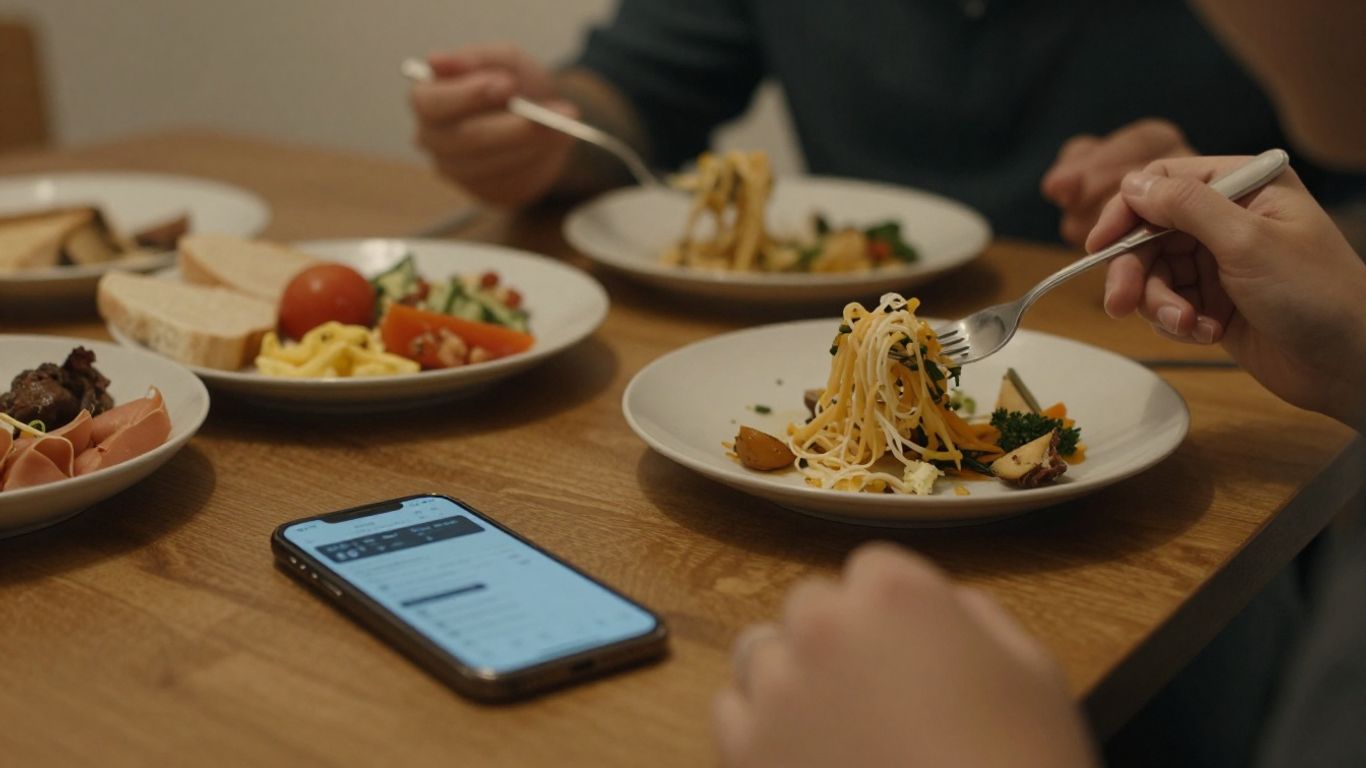
Meals. A systematic review and meta-analysis of 24 studies found that eating while distracted led to a moderate increase in how much people ate at that meal and a larger increase in how much they ate later, while paying attention to food was linked to eating less later (Robinson et al., 2013). Scrolling through a meal makes it harder to notice fullness and to remember you have eaten.
Boundary 1: A phone-free bedroom
This is the single change with the biggest payoff for most people.
- Charge your phone overnight in the kitchen, hallway or living room.
- Use a simple alarm clock instead of your phone alarm.
- If you need to be reachable at night, set your phone to allow calls from a short list of contacts only, and keep it across the room face down.
Boundary 2: An evening screen cut-off
Choose a time 30 to 60 minutes before bed when the phone goes to its charging spot. Then fill that time with something calming:
- Get ready for tomorrow: pack lunch, lay out clothes.
- Read a paper book or magazine.
- Stretch gently or have a warm shower.
- Drink a cup of herbal tea or warm milk.
- Write tomorrow’s to-do list so it is out of your head.
Set a recurring alarm as a reminder for your cut-off time. Many phones also have a bedtime or wind-down mode that silences notifications and dims the screen automatically.
Boundary 3: A slow start to the morning
Reaching for the phone first thing can pull you into messages and news before you are fully awake. Try a 15 to 30 minute buffer instead:
- Drink a glass of water.
- Open the curtains or step outside for daylight.
- Eat breakfast before checking messages.
Boundary 4: Phone-free meals
Keep phones off the table at meals, including when you eat alone.
- Pick a spot. A basket on the counter or a shelf away from the table.
- Turn it face down and silent if it must be in the room.
- Eat at a table, not at a desk or on the couch, when you can.
- Notice your food. Look at it, taste the first few bites, and check in with your hunger halfway through.
- At work, step away from your screen for lunch, even for 15 minutes.
For quick meals that make a sit-down lunch more doable, see five-minute balanced meals.

Boundary 5: Give your phone a home
Physical distance is often easier than willpower. When the phone is out of reach, the automatic grab is interrupted.
- Choose one charging spot outside the bedroom and away from the table.
- Return the phone there whenever you are home and not using it for a purpose.
- Move social media apps off your home screen so opening them takes a deliberate step.
Boundary 6: Trim notifications
Every alert is an invitation to pick up the phone. A 15-minute clean-up can cut most of them.
| Keep | Silence or turn off |
|---|---|
| Calls and texts from family | Social media likes and comments |
| Calendar reminders | News alerts |
| Health reminders you set yourself | Shopping and promotional apps |
| Work messages during work hours only | Game and app badges |
Use scheduled do-not-disturb for your evening cut-off, overnight and mealtimes.
Replace the reflex
Much phone use fills small gaps: waiting, boredom, a pause after dinner. Plan what you will do instead.
- Waiting in line: Take a few slow breaths or look around.
- After dinner: A 10-minute walk, tidy the kitchen, or a conversation.
- Bored in the evening: A puzzle, a hobby, a call with a friend.
- Trouble falling asleep: Stay away from the phone; try reading in low light until you feel sleepy.
If you enjoy scrolling, give it a set window, such as 20 minutes after dinner, rather than letting it spread through the evening.
Talking to your household
- Agree on shared rules, such as no phones at the dinner table, so everyone is supported.
- Tell friends and family when you are offline in the evening: “I check messages until 9, then again in the morning.”
- Model the habit for children; family boundaries are easier when adults follow them too.
A one-week starter plan
- Day 1: Choose your phone’s charging spot outside the bedroom. Buy or dig out an alarm clock.
- Day 2: Turn off non-essential notifications.
- Day 3: Set an evening cut-off alarm and plan your wind-down activity.
- Day 4: Eat one meal with the phone in another room.
- Day 5: Add a 15-minute phone-free start to your morning.
- Days 6–7: Keep going, and note how you slept and how meals felt.
Use your weekly review to decide which boundaries to keep and which to adjust. Our habit reflection system can help.
When to check with a professional
If you still have trouble falling or staying asleep most nights after a few weeks of better habits, or you feel very sleepy during the day, talk to your doctor. Snoring, gasping during sleep or ongoing insomnia should be checked. If phone use feels out of your control or is tied to anxiety or low mood, a healthcare provider can help.
Takeaways
- Charge your phone outside the bedroom and use a regular alarm clock.
- Set a screen cut-off 30 to 60 minutes before bed.
- Keep phones off the table at meals to eat more attentively.
- Give your phone a home and trim notifications to the essentials.
- Plan a replacement activity for the moments you usually reach for it.
FAQ
Is night mode enough?
It may help a little, but the bigger issues are later bedtimes and staying mentally engaged. Putting the phone away works better than adjusting the screen.
What if I use my phone for audio to fall asleep?
Set it to do-not-disturb, start the audio, and place it face down across the room, or use a separate speaker.