

Trying to fit healthy habits into a busy life can feel like a constant uphill battle. We all want to eat better, move more, and feel generally good, but finding the time often seems impossible. That’s where time boxing health comes in. It’s not about adding more to your plate, but about being smarter with the time you already have. Think of it like scheduling important appointments, but for yourself and your well-being. This approach helps you carve out dedicated space for the things that matter, making sure they don’t get pushed aside by urgent tasks or endless distractions. It’s about making health a priority, one timed block at a time.
Key Takeaways
- Time boxing health means setting specific, limited periods for health-related activities, treating them like important appointments to ensure they happen.
- This method helps combat procrastination by creating clear start and end times for tasks, making them feel more manageable and less overwhelming.
- Protecting your scheduled time from interruptions is key; learn to politely defer non-urgent requests to maintain focus.
- Using a timer acts as an external guide, providing discipline and a clear signal to start and stop, reducing reliance on willpower alone.
- Building buffer time into your schedule accounts for unexpected events and transitions, making your plan more flexible and less likely to fall apart.
Embracing Time Boxing For Enhanced Well-Being
We all have those days. You sit down, ready to tackle your to-do list, maybe with a fresh cup of coffee. You open your email, glance at a few notifications, and then dive into your tasks. Hours later, you’re exhausted. You were busy, sure, but the one thing you really needed to get done? Still untouched. This feeling often comes from thinking we need more willpower or discipline to get things done. But what if the problem isn’t your effort, but your system? What if, instead of relying on willpower, you could use a simple structure that makes focus the default?
This is where time boxing comes in. It’s not about finding more hours in the day; it’s about giving every hour a purpose. It swaps a vague, endless to-do list for a concrete plan. Forget "working on the report" sometime today. Instead, you’ll "write the introduction for the Q3 report from 9:00 AM to 9:50 AM." One is a wish. The other is an appointment with progress. This method works exceptionally well when you incorporate task batching to group similar administrative or creative tasks into a single block.
Boosting Productivity Through Focused Efforts
There’s something about a ticking clock that changes how we work. When we know there’s a set endpoint, it pushes us to get started with more urgency. Time boxing gives you that extra push. You stop spending hours fine-tuning tiny details and instead direct your energy into making the most of the time you have. This drives progress, not perfection. Tasks that might otherwise stretch out forever suddenly feel more manageable. You set aside an hour and focus only on the job at hand, knowing that when the time is up, you’ll move on. The result? A natural momentum builds, and what seemed overwhelming feels achievable.
Combating Procrastination With Defined Limits
The struggle with procrastination often starts because we don’t know where to begin or feel overwhelmed by the size of a task. Time boxing helps by giving tasks a clear start and end. It breaks your day into smaller, manageable chunks of time, helping you overcome the inertia that often comes with big projects. Instead of thinking, “I have to finish this entire project,” your mindset shifts to, “I’ll make progress on this for the next hour.” This small change reduces the mental block that can keep you stuck.
Establishing Clear Work-Life Boundaries
Work can easily spill into personal time, but time boxing helps create balance. By clearly defining when tasks start and end, you create distinct lines between your professional and personal life. This method gives you permission to fully step away once your work is complete, knowing you did what needed to be done within your allotted time. But it’s not just about organizing your workday—it’s about prioritizing rest and personal activities just as effectively. By scheduling breaks or a hard stop at the end of the day, you ensure your personal life doesn’t get overshadowed by work obligations.
The goal of time boxing is not to become a robot living inside a rigid, unforgiving schedule. It is to be more intentional with your high-leverage time. Life is unpredictable. Creative ideas don’t always arrive on schedule. Colleagues will have urgent requests. If your system is too brittle, the first unexpected event will shatter it, leading to frustration and the urge to abandon the system altogether.
Here’s a look at how time boxing can structure your day:
- Morning Focus Block: Dedicate 90 minutes to your most important task, free from distractions.
- Email & Communication Time: Set a 30-minute block specifically for checking and responding to emails and messages.
- Project Work Session: Allocate 2 hours for deep work on a specific project, with a short break in between.
- Planning & Review: Spend 15 minutes at the end of the day to plan for tomorrow.
This structured approach helps you manage not just tasks, but also your energy and focus. It’s about being purposeful with your time, not just busy.
The Art of Structuring Your Day

Okay, so you’ve decided to give timeboxing a shot. That’s great! But how do you actually make it work without feeling like you’re just shuffling appointments around? It’s all about building a structure that makes sense for you, not just filling up your calendar.
Estimating and Assigning Your Time Blocks
First things first, you need to figure out how long things actually take. We often underestimate how much time a task needs, or we overestimate how much we can get done in a short burst. Take a moment to really think about the work you need to do. Is it a big project that needs several focused sessions, or a bunch of small, quick things? Be realistic.
- Break down large tasks: Instead of "Write report," try "Research for report," "Outline report," "Draft Section 1," etc. Each of these gets its own time block.
- Consider your energy: When are you most alert? Schedule your most demanding tasks for those times. Save the easier stuff for when your energy dips.
- Don’t forget transitions: Moving from one task to another takes a moment. Factor in a few minutes to wrap up, save your work, and get your head in the game for the next thing.
Here’s a simple way to start thinking about it:
| Task Type | Estimated Time | Notes |
|---|---|---|
| Deep Work | 90 minutes | Requires high focus, schedule for peak energy |
| Email/Comms | 30 minutes | Batch these together, check at set times |
| Planning/Review | 15 minutes | Daily or weekly, to stay on track |
| Breaks | 10-15 minutes | Crucial for avoiding burnout |
Executing and Protecting Your Dedicated Time
This is where the rubber meets the road. You’ve set up your blocks, now you need to actually do the work within them and keep distractions out. It sounds simple, but it’s harder than it looks. Your calendar is now your guide, not a suggestion. When a block is for "Writing Project X," that’s what you should be doing. Everything else has to wait.
- Turn off notifications: Seriously, silence your phone and close unnecessary tabs on your computer. If you’re expecting something urgent, let the person know you’ll get back to them at a specific time.
- Communicate your availability: If you work with others, let them know when you’re in a focused block and when you’re available for interruptions.
- Have a clear goal for each block: Knowing exactly what you want to achieve makes it easier to stay on track.
The goal isn’t to create a schedule so rigid that it breaks at the first sign of trouble. It’s about being intentional with your time, making sure the important things get done without letting the unexpected completely derail you.
Learning from Time Box Exceedances
What happens when a time block just isn’t enough? It happens. Don’t beat yourself up about it. Instead, see it as a learning opportunity. Why did it take longer? Was your estimate off? Did something unexpected come up? This feedback is gold for refining your timeboxing system.
- Note the overrun: Quickly jot down why you went over. Was it a technical issue? A complex part of the task? An interruption?
- Adjust future estimates: If you consistently underestimate a certain type of task, adjust your future time blocks accordingly.
- Consider buffer time: Maybe you need a little more breathing room between tasks. Adding short breaks or ‘flex blocks’ can help absorb these overruns without causing a domino effect.
Navigating Interruptions and Unexpected Events
Life happens, right? Even with the best-laid plans and perfectly timed blocks, things pop up. A colleague needs a quick answer, a client has an urgent request, or maybe your computer decides to update at the worst possible moment. These aren’t failures of your timeboxing system; they’re just part of working and living. The trick isn’t to build a schedule so rigid it shatters at the first sign of trouble, but to build a system that can bend a little.
Protecting Your Focus From External Demands
When you’re in the middle of a focused work block, and someone approaches your desk or sends a message, your first instinct might be to drop everything. But remember, that time block is there for a reason. It’s for doing important work that requires concentration. You can politely defer non-urgent requests. A simple "I’m in the middle of something right now, but I can help you in about 20 minutes when my timer goes off" can work wonders. Most of the time, people are understanding. For less critical communications, like emails or instant messages, you can set specific times to check them, rather than letting them pull you out of your flow.
Strategizing for Urgent Matters
Of course, some things can’t wait. A true emergency or a critical, time-sensitive request will come up. When that happens, it’s okay to step away from your timebox. The key is to acknowledge that you’re leaving your planned activity, deal with the urgent issue, and then consciously decide how to proceed. Don’t let one urgent task derail your entire day. You might need to shorten a later timebox, move a less important task to tomorrow, or simply accept that today will be a bit different.
Here’s a quick way to think about handling urgent requests:
- Assess Urgency: Is this really an emergency, or just something someone wants done now?
- Communicate: Let others know if you’re pulled away from your planned work.
- Address and Adapt: Deal with the urgent item, then decide how to adjust your remaining schedule.
- Reset: Take a moment to re-center before jumping into the next task.
Resetting After Disruptions
After an interruption, especially a significant one, it’s easy to feel like your whole day is off track. You might feel frustrated or overwhelmed. This is where the "reset" comes in. Once the urgent matter is handled, take a few minutes. Close your eyes, take a few deep breaths, or grab a glass of water. Look at your remaining schedule. Do you need to shift things around? Can you still accomplish your most important tasks? Sometimes, just a brief pause and a quick re-evaluation can get you back on track and salvage the rest of your day. It’s about being resilient, not perfect.
The Power of the Timer as Your Guide
You know that feeling when you’re just sort of… drifting through your tasks? One minute you’re answering emails, the next you’re scrolling through news, and suddenly, hours have passed with little to show for it. It’s easy to get lost when there’s no clear endpoint in sight. That’s where the timer comes in. It acts as your external referee, giving structure to your focus sessions.
Think of it like this: a timer provides a definite start and a definite stop. It’s not about being a robot, but about creating a clear signal for your brain. When the timer starts, it’s go-time. When it rings, it’s time to pause, even if you’re in the middle of something. This simple act helps prevent burnout and makes work feel more like a series of manageable sprints rather than one long, draining marathon.
Utilizing a Timer for Discipline
While your phone or computer has a timer, many people find a physical timer to be more effective. A simple kitchen timer or a visual timer on your desk offers a tangible sense of urgency. It’s a constant, silent reminder of your commitment to the task at hand. This external cue helps you avoid relying solely on your own willpower, which can be unreliable.
Leveraging Physical Timers for Tangible Urgency
There’s something about seeing a timer tick down or a dial move that creates a different kind of focus. It’s a physical representation of time passing, making the need to concentrate more immediate. This can be especially helpful for tasks you tend to put off or find challenging.
Externalizing Willpower for Consistent Focus
Instead of constantly having to decide to focus, the timer makes it a default action. You set the timer, and then you focus until it goes off. This removes a layer of decision-making fatigue. It’s a way to build a system that supports your focus, rather than constantly fighting your own tendencies. The timer is your partner in making sure your dedicated time is actually spent on the task you intended.
Maximizing Efficiency with Task Batching
Ever feel like you’re just jumping from one thing to another all day, never really getting into a groove? That’s often because of something called context-switching. Every time you stop writing an email to take a quick call, or pause a report to answer a Slack message, your brain has to do a little mental reset. It sounds small, but these little resets add up and really eat into your productive time. Task batching is a way to fight back against this.
Understanding Context-Switching Costs
Think about it like this: if you’re baking cookies, you gather all your ingredients, mix the dough, and then bake. You don’t mix the flour, then go water the plants, then add the sugar, then check the mail, and then bake. That would be chaotic and inefficient. Our brains work similarly. When you switch tasks, especially different types of tasks, there’s a cost. You lose momentum, have to re-orient yourself, and it takes time to get back into the flow of the original task. Studies show this mental gear-shifting can really drain your energy and slow you down.
Grouping Similar Tasks for Streamlined Completion
Task batching is all about grouping similar activities together and doing them all at once. Instead of checking your email every ten minutes, you set aside a specific time block, say 30 minutes twice a day, to handle all your emails. Or, if you have several phone calls to make, you put them all into one dedicated block instead of scattering them throughout your day. This means you’re staying in the same mental mode for a longer stretch, which helps you get more done, faster.
Here’s a simple way to think about it:
- Communication Tasks: Group emails, Slack messages, and quick calls.
- Deep Work Tasks: Batch writing, coding, or complex problem-solving.
- Administrative Tasks: Combine things like filing, invoicing, or scheduling.
Creating Dedicated Time for Batch Processing
So, how do you actually do this? First, look at your to-do list and identify tasks that feel similar. Do they use the same software? Do they require a similar mindset? Once you’ve identified these groups, you can schedule specific time blocks for them. For example, you might have a "Communication Block" from 11:00 AM to 11:30 AM and another from 4:00 PM to 4:30 PM. Or, you could dedicate a larger chunk of time, like two hours on a Friday afternoon, for "Admin Tasks." This way, when that time block arrives, you know exactly what you need to focus on, and you can get into that specific mode without interruption.
The key is to be intentional. Don’t just let tasks pile up and hope for the best. Actively look for opportunities to group similar work and protect the time you’ve set aside to do it. It might feel a little rigid at first, but the payoff in terms of saved time and reduced mental fatigue is huge.
This approach helps you build momentum and get into a rhythm, making your workday feel less like a series of disconnected chores and more like a series of focused, productive sessions.
Avoiding Common Time Boxing Pitfalls
It’s easy to get excited about time boxing and want to apply it everywhere. But like any powerful technique, there are ways to mess it up. Let’s talk about some common traps so you can steer clear.
The Danger of Over-Optimization
Picture this: you’ve scheduled "5 minutes to drink water" and "3 minutes to stretch." Sound familiar? While it’s great to be intentional, trying to schedule every single minute can backfire. Life isn’t a perfectly predictable machine. When your schedule is too tight, the first unexpected thing that happens – a colleague popping by, a sudden idea, or just needing a moment longer on a task – can completely derail your day. This rigid approach can lead to frustration and make you want to ditch the whole system.
The Trap of Excessive Rigidity
Sticking to your time boxes is important, but being too rigid is a problem. If a task is proving more complex than you thought, or if you’re really in a good flow state, forcing yourself to stop abruptly can be counterproductive. The goal isn’t to become a robot. It’s about being more mindful of your time. If you find yourself constantly fighting your schedule because it’s too inflexible, it’s time to loosen up.
The Pitfall of Overscheduling Leisure
We often time box work tasks, but what about downtime? Scheduling every second of your relaxation time can turn it into another chore. If your "free time" is filled with rigidly defined blocks for "reading for 20 minutes" or "meditating for 15 minutes," it starts to feel like work. Leisure should be a space for genuine rest and spontaneity, not another item on a to-do list that you feel pressured to complete.
Integrating Buffers for a Resilient Schedule
The Importance of Unscheduled Gaps
Look, nobody’s day goes exactly as planned. Things pop up. A quick chat with a colleague turns into a 20-minute discussion, or a task you thought would take 30 minutes ends up needing an hour. If your schedule is packed tighter than a rush-hour train, these little bumps can throw your whole day off track. That’s where buffers come in. They’re like little pockets of breathing room you build into your day. These unscheduled gaps are your secret weapon against a schedule that feels like it’s about to snap. They give you the flexibility to handle the unexpected without everything else falling apart.
Creating ‘Flex Blocks’ for Adaptability
Think of flex blocks as your personal emergency fund for time. Instead of scheduling every minute, you set aside specific periods – maybe an hour in the afternoon, or a half-day on Friday – that are intentionally left open. What do you do with this time? Anything! You can use it to catch up on emails that piled up, tackle a task that ran over, or even just take a longer break if you’re feeling drained. It’s about having a designated space to absorb the inevitable surprises without derailing your planned work. It’s a way to build adaptability right into your structure.
Padding Your Schedule for Transitions
Ever notice how moving from one task to another can feel jarring? You finish a report, and then immediately have to jump into a video call. It’s hard to switch gears that quickly. Padding your schedule means adding a few minutes between tasks specifically for transitions. This could be just 5 or 10 minutes to stand up, stretch, grab a glass of water, or quickly jot down notes about what you just finished. It helps you mentally reset and prepare for what’s next, making your work flow smoother and reducing that feeling of being constantly rushed. It’s a small change that makes a big difference in how you feel throughout the day.
Here’s a simple way to think about adding these buffers:
- After Focused Work: Add a 5-10 minute buffer after any significant work block. Use this to wrap up, save your work, and take a quick mental break.
- Between Meetings: If you have back-to-back meetings, try to build in a 5-minute buffer. This gives you time to move to your next location (even if it’s just your desk chair to your couch) and mentally prepare.
- End of Day: Allocate 15-30 minutes at the end of your workday as a buffer. This time can be used for reviewing what you accomplished, planning for the next day, or tidying up your workspace.
Building in these small pockets of unscheduled time isn’t about being lazy or inefficient. It’s about being realistic. Life happens, and a schedule that can’t bend will eventually break. These buffers are the key to making your timeboxing system work for you, not against you, in the long run.
The Foundational Role of Habits Over Tools
It’s easy to get caught up in the shiny new apps and fancy planners when you’re trying to get organized. You might think that the perfect digital tool will magically fix your time management issues. But here’s the truth: tools are just helpers, not the solution itself. The real magic happens when you build solid habits that guide how you use those tools.
Prioritizing Behavioral Patterns
Think about it. You could have the most advanced calendar app on the market, but if you don’t actually look at it, plan your day, or stick to the time you’ve set aside, it’s just digital clutter. The core of making timeboxing work isn’t about finding the best software; it’s about developing consistent behaviors. These are the actions you take regularly that make your timeboxing efforts stick. We’re talking about things like:
- Doing a quick review at the end of each day to plan the next.
- Setting a timer for your work blocks and actually respecting it.
- Taking a few minutes each week to look at your bigger goals and map them onto your schedule.
These aren’t complicated actions, but doing them consistently builds a structure that supports your timeboxing. It’s like building a strong foundation before you start decorating the house.
Starting with Simple Tools
When you’re first getting started, don’t overcomplicate things. The goal is to build the habit, not to become a tech wizard. Your phone’s built-in timer and a basic digital calendar are perfectly fine. Seriously, that’s all you need to begin. Trying to learn a complex new system while also trying to build a new habit is a recipe for frustration. Focus your energy on showing up and doing the work during your time blocks. Once these habits feel natural, you can explore other tools if you find they genuinely help, but don’t let the search for the ‘perfect’ tool become a way to avoid starting.
Avoiding Tool-Based Procrastination
This is a common trap. You spend hours researching the best timeboxing app, comparing features, watching tutorials, and setting up elaborate systems. You feel like you’re being productive because you’re preparing to be productive. But in reality, you’re just delaying the actual work. This is tool-based procrastination. The best way to avoid it is to pick a simple tool and start now. Don’t wait for the perfect setup. Your time is better spent actually doing the task within a time block, even if your system isn’t perfectly optimized yet.
The real progress comes from consistent action, not from the pursuit of an ideal system. Your habits are the engine, and the tools are simply the vehicle. Make sure the engine is running smoothly before you worry about upgrading the car.
Remember, the aim is to make your time work for you, not to get lost in the details of how it’s managed. Focus on the behaviors that lead to focused work and protected time, and the rest will follow.
Adapting Time Boxing for Diverse Needs
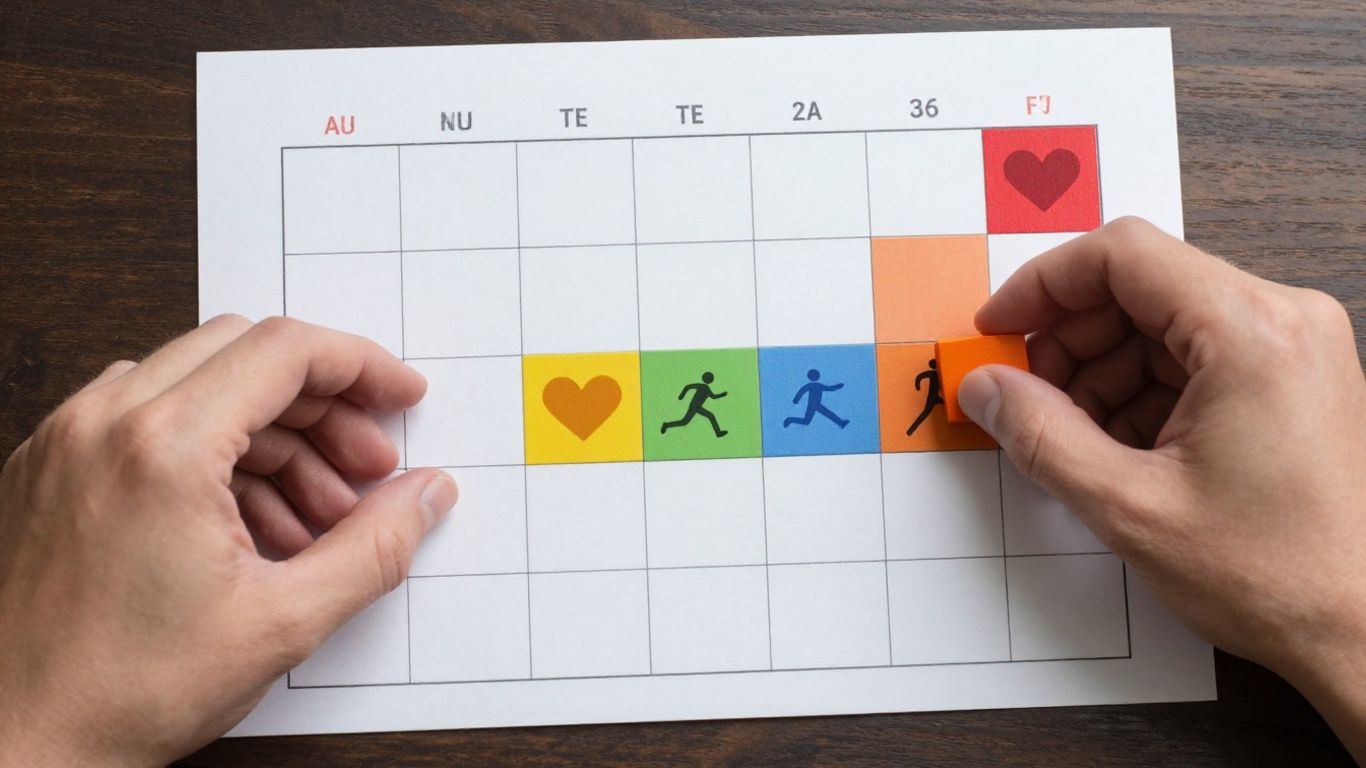
Timeboxing isn’t a one-size-fits-all solution. Its real strength lies in its adaptability. Whether you’re a solo operator or part of a larger group, you can shape this technique to fit your specific situation. The core idea—dedicating a fixed chunk of time to a task—remains, but how you apply it can change quite a bit.
Personal Time Boxing for Individual Tasks
For individuals, timeboxing is about bringing order to your own day. Think about your personal projects, your daily work, or even just organizing your morning routine. You can set aside specific blocks of time for these things. For example, you might decide to spend 30 minutes just on emails, then move to a 90-minute block for deep work on a report. This keeps you on track and stops small tasks from eating into your most productive hours. It’s about being intentional with your own time.
Team Time Boxing for Collaborative Workflows
When you’re working with others, timeboxing can really help with collaboration and project management. It encourages everyone to focus on what’s most important within a set timeframe. This can mean setting strict limits for team meetings or brainstorming sessions. A quick 15-minute check-in, for instance, makes sure everyone stays on point and the meeting doesn’t drag on.
Agile Sprints as a Form of Team Time Boxing
Agile development offers a prime example of team timeboxing in action. Work is broken down into short, fixed periods called sprints, usually lasting one to four weeks. During a sprint, the team concentrates on completing a specific set of tasks or goals. This creates a sense of urgency and helps the team prioritize effectively, making sure they deliver the most critical work within the sprint’s boundaries. It’s a structured way for teams to make consistent progress.
The Subtle Distinction: Time Blocking vs. Time Boxing
It’s easy to hear "time blocking" and "time boxing" and think they’re the same thing. They both involve scheduling your day, right? Well, sort of. But there’s a key difference in how they approach your tasks and, ultimately, how they shape your productivity.
Defining Time Blocking’s Approach
Time blocking is like drawing specific areas on a map for different activities. You decide, "Okay, from 9 AM to 11 AM, I’m going to work on the Q3 report." You’re essentially assigning a purpose to that chunk of time. The goal here is to dedicate a block of your day to a particular task or category of tasks, ensuring that important work gets its scheduled attention. It’s about making sure that, for example, "deep work" has a designated spot on your calendar, protected from the usual daily chaos.
Understanding Time Boxing’s Constraint
Time boxing, on the other hand, is more like setting a timer for a specific activity. Instead of just saying "I’ll work on the Q3 report," you say, "I will spend exactly 45 minutes on the Q3 report, and I’ll stop when the timer goes off." The emphasis here is on the limit of time you’re willing to spend. This creates a sense of urgency. You’re not just working on the task; you’re working to get as much done as possible within that set time. It’s a way to challenge yourself to be efficient and avoid getting bogged down.
The Gamification of Productivity
Think of it this way:
- Time Blocking: "This is the time I’ve set aside for writing." (Focus on dedication)
- Time Boxing: "I will write for only 30 minutes, and I’ll see how much I can finish." (Focus on constraint and completion within limits)
Time boxing can feel a bit like a game. You’re given a challenge – a limited amount of time – and you have to perform. This can be incredibly effective for tasks you tend to procrastinate on or those that could easily expand to fill all available time. It forces you to prioritize what’s most important within that box and to be decisive.
While time blocking helps ensure that important tasks get scheduled, time boxing helps you manage the intensity and duration of your focus on those tasks. It’s about working smarter, not just longer, by imposing a friendly deadline on yourself.
Here’s a quick look at the core difference:
| Feature | Time Blocking | Time Boxing |
|---|---|---|
| Primary Goal | Dedicate time to specific tasks/activities | Limit time spent on a specific task |
| Focus | Scheduling and protecting time slots | Efficiency and completion within a set duration |
| Mindset | "I will work on X during this block." | "I will spend Y minutes on X, then stop." |
| Effect | Prevents tasks from being pushed aside | Creates urgency and combats over-extension |
Ever wondered about the difference between time blocking and time boxing? They sound similar, but they’re actually quite different ways to manage your day. Time blocking is like drawing big chunks on your calendar for specific tasks, while time boxing sets strict limits for how long you’ll spend on something. Understanding this subtle distinction can really help you get more done. Want to learn how to use these techniques to boost your productivity? Visit our website to find out more!
Putting It All Together
So, we’ve talked about how to break down your day into focused chunks using timeboxing. It’s not about filling every minute, but about being smart with your time. Remember to build in those little breaks, those buffer zones, so life’s little surprises don’t throw everything off track. Think of it as creating a sturdy structure for your day, one that helps you get things done without feeling completely overwhelmed. It’s a way to be more intentional, to make sure the important stuff gets done, and to actually have some breathing room. Give it a try, see how it feels, and adjust as you go. It’s your time, after all.
Frequently Asked Questions
What exactly is timeboxing?
Timeboxing is like giving yourself a strict time limit for a task. Imagine you have to finish your homework in one hour. You set a timer, and you work only on that homework until the timer rings. It helps you focus and get things done without wasting time.
Why is timeboxing better than just having a to-do list?
A to-do list can feel overwhelming because it doesn’t say *when* you’ll do things. Timeboxing makes it real by saying, ‘I’ll work on this specific task for exactly 30 minutes, starting now!’ This makes it harder to put off and helps you actually start.
What happens if I don’t finish my task in the timebox?
That’s okay! The point isn’t always to finish everything. If the timer goes off and you’re not done, you stop. You can then decide if you need to set another timebox for it later, or if it can wait. It helps you see how long things *really* take.
How do I stop distractions during my timebox?
It’s tough! Try turning off notifications on your phone and computer. Tell people you’re busy for a set time. Some people even put their phone in another room. The timer is your signal to focus, so treat it seriously!
Should I timebox everything, even fun stuff?
It’s best not to overdo it. Scheduling every single minute can make you feel like a robot. It’s more important to timebox your important work. Leave some free time in your schedule for breaks or unexpected things. Flexibility is key!
What are ‘buffers’ and why do I need them?
Buffers are like little breaks or extra time you add between your timeboxes. Think of them as wiggle room. They help if a task takes a little longer than planned, or if you just need a moment to stretch and clear your head before starting the next thing. They make your schedule less likely to fall apart.
Is it better to use a phone timer or a physical timer?
Both work! Some people find a physical timer, like a kitchen timer, feels more real and urgent. It’s a visible reminder that time is ticking. But a timer on your phone or computer is perfectly fine too. The most important thing is to actually use it!
What’s the difference between time blocking and timeboxing?
Time blocking is like saying, ‘I’ll work on Project X from 9 to 10 AM.’ Timeboxing is more like saying, ‘I will spend *only* one hour on Project X, and I’ll start now.’ Timeboxing puts a strict limit on how long you’ll spend, which can make you work faster and smarter.